Help & feedback
How do I play?
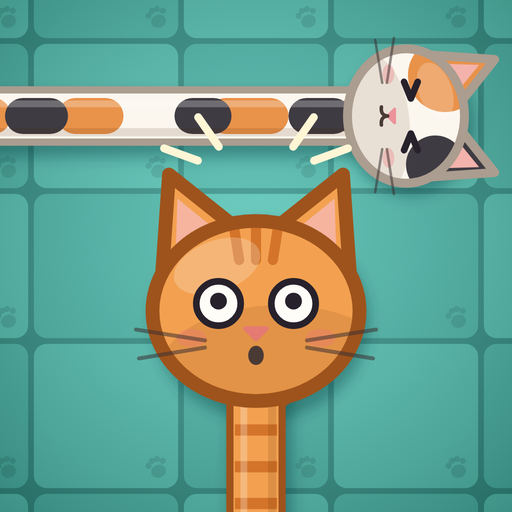
Tap a cat. If nothing is in front of its head, it strolls out of the yard. If another cat is in the way, it bumps into it, looks startled and walks back, and you lose a heart. You have three hearts for each yard. Find the right order and free every cat to clear the yard. Clear it without a single bump for three stars.
Stuck? Wait a moment and the hint cat pops up to help. On the biggest yards you can pinch to zoom and drag to look around.
How does the daily puzzle work?
There is one daily puzzle a day, the same for everyone. Your first solve of the day tells you how fast you were compared with the day’s other players. Solve it on days in a row to build a streak. If you miss a day, a streak freeze keeps your streak going: the first daily comes with one, and you earn a new one every 7 days in a row if you have none. You can hold one freeze at a time.
Can I play a daily puzzle I missed?
Yes. The calendar keeps the month’s days, and a day you missed can be played until the month ends. Solve 10 days of a month for a bronze trophy, 20 for silver and every day for gold. A missed day you play from the calendar counts towards the month’s trophy, not towards your streak or the day’s ranking.
Can I share my result?
Yes. After solving the daily puzzle, tap Share on the result card, or next to the day’s result on the home screen. You can also share a Nightmare level the first time you clear it. You’ll see a picture first, and can send it with any app on your phone. The picture never shows where the cats go, so it doesn’t give the puzzle away.
Do I have to watch ads?
No. An ad plays only when you choose one: for one more heart when you run out, or to skip a level you have lost twice. If no ad is available, you get the reward anyway. Where the law requires it, you can change your ad privacy choices with Ad privacy choices at the bottom of the home screen.
Reminders aren’t arriving
Turn them on with the bell on the home screen. You’ll get a note in the morning when the new puzzle is ready, and one in the evening if you have a streak to keep. If nothing arrives, check that notifications are allowed for Tabby Tangle in your phone’s settings.
I got a new phone or reinstalled the game
Progress is saved on your phone, not in an account. A new phone or a reinstall starts from the first level, unless your phone’s own backup brings your progress back: Google backup on Android can do that when you install the game again or set up a new phone, and so can setting up an iPhone from an iCloud or computer backup.
Reporting a problem
Tell us your phone model, its Android or iOS version and what happened. A screenshot helps a lot.